One unit. Stream, record, analyze.

Record 1080p onboard video with lap timing and telemetry, stream live to your team, and compare laps afterwards. Video One brings it all together, with cellular bonding to combine two mobile connections for more streaming bandwidth where coverage is limited. USB camera, free desktop analysis software and mobile setup app included.

1,195 EUR + VAT · Launch price

Order now. Next production batch ships in December 2026.

Cancel free any time before it ships.

30-day track trial. Fit it, drive it, and send it back for a full refund if it's not for you. Return details

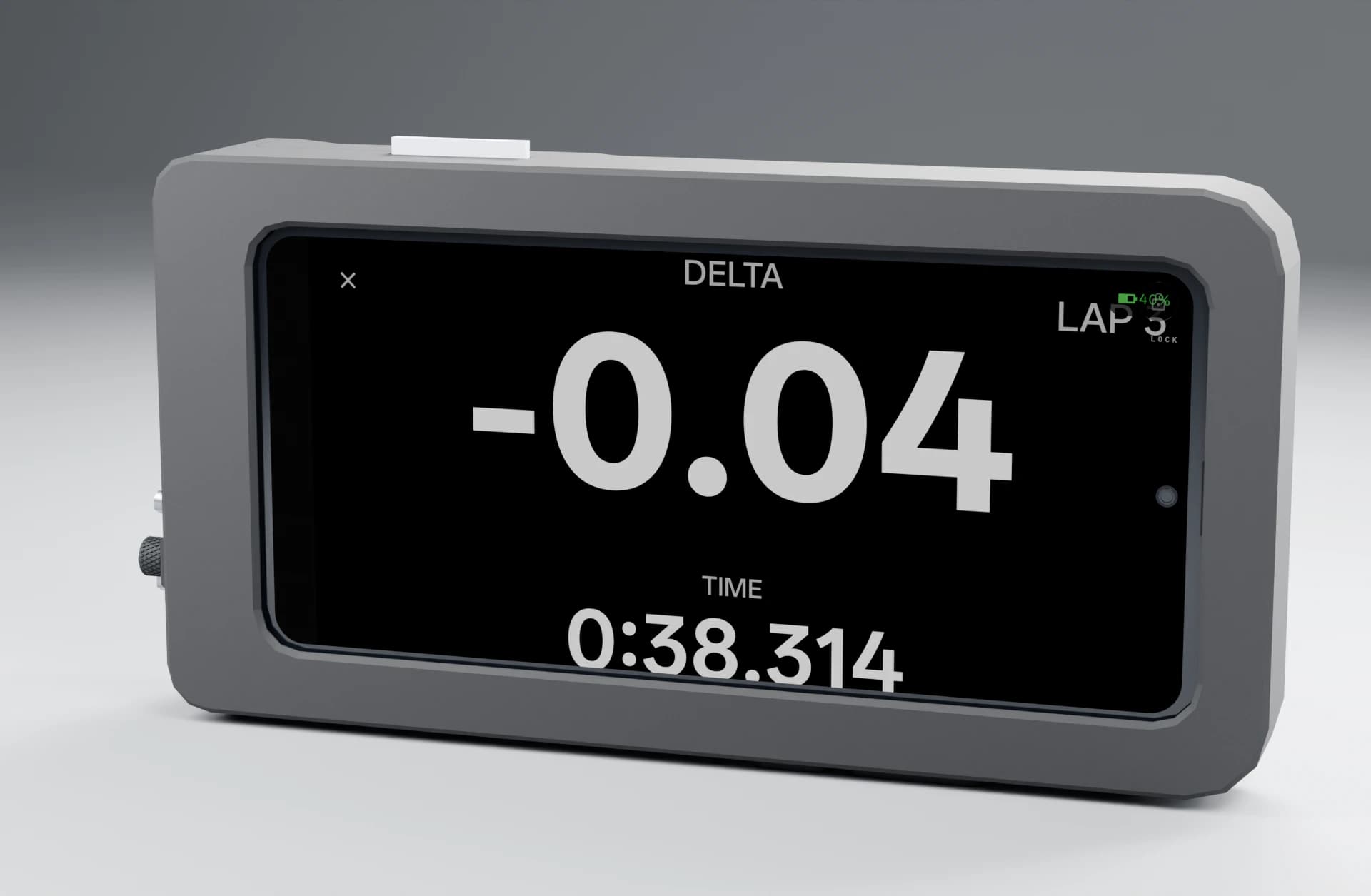
Video One lap timer showing replay data from an actual device screenshot
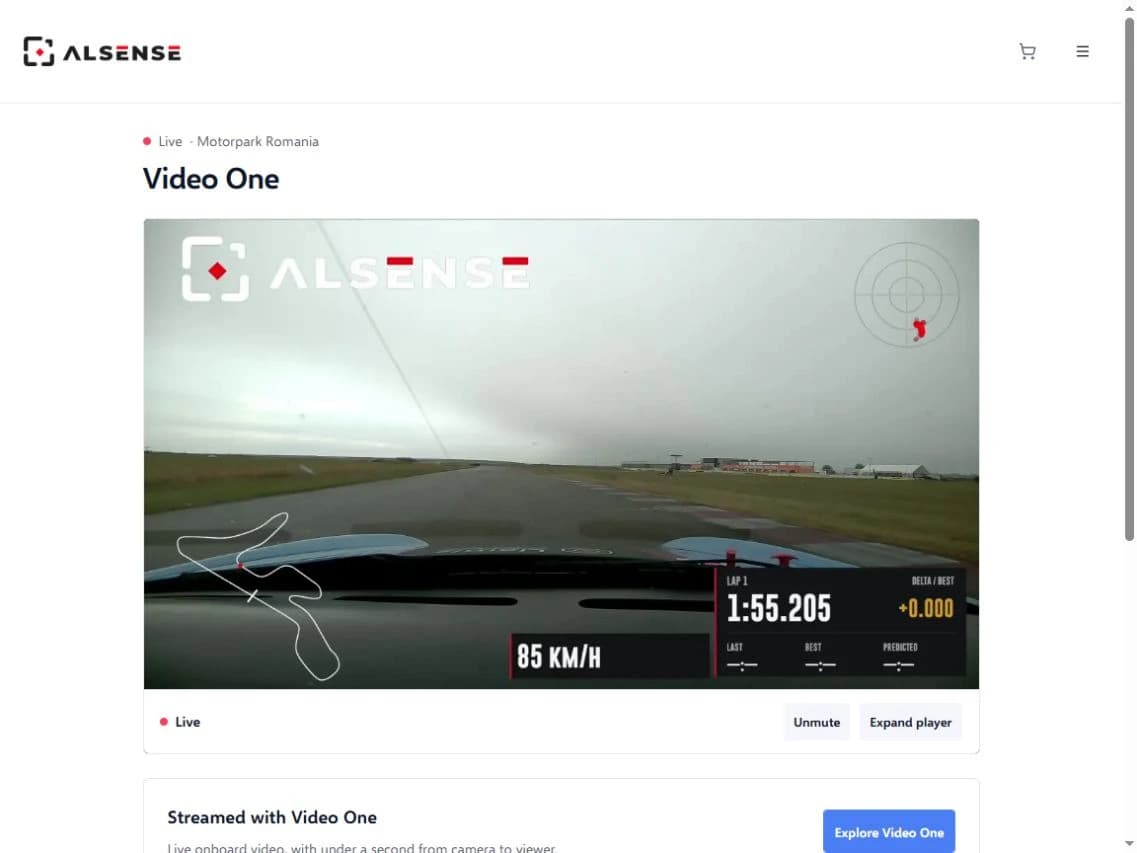
Shared live-view interface showing the blue-hood car at Motorpark from the 12:34 recording

Stream

Let the pit wall follow your stint as it happens.

  • Two connections. One live stream.

    Cellular bonding combines your built-in SIM connection with a compatible USB modem. Included with every paid streaming plan.

  • Live means live

    Under a second from the car to the screen. What you see on the pit wall is what the driver sees now.

  • Invite your team

    Send a viewing link. Anyone can open it on a phone or laptop without an account.
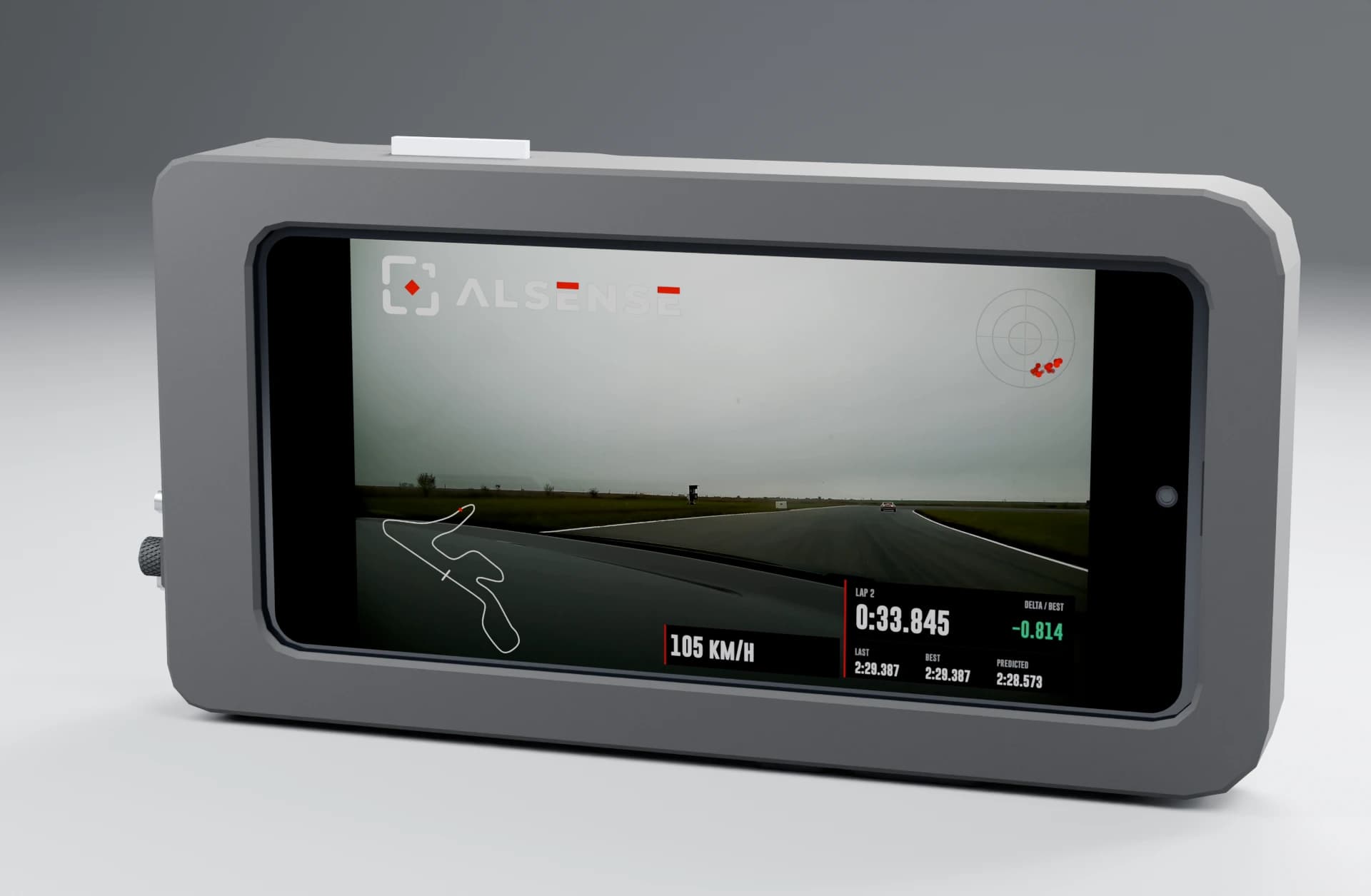
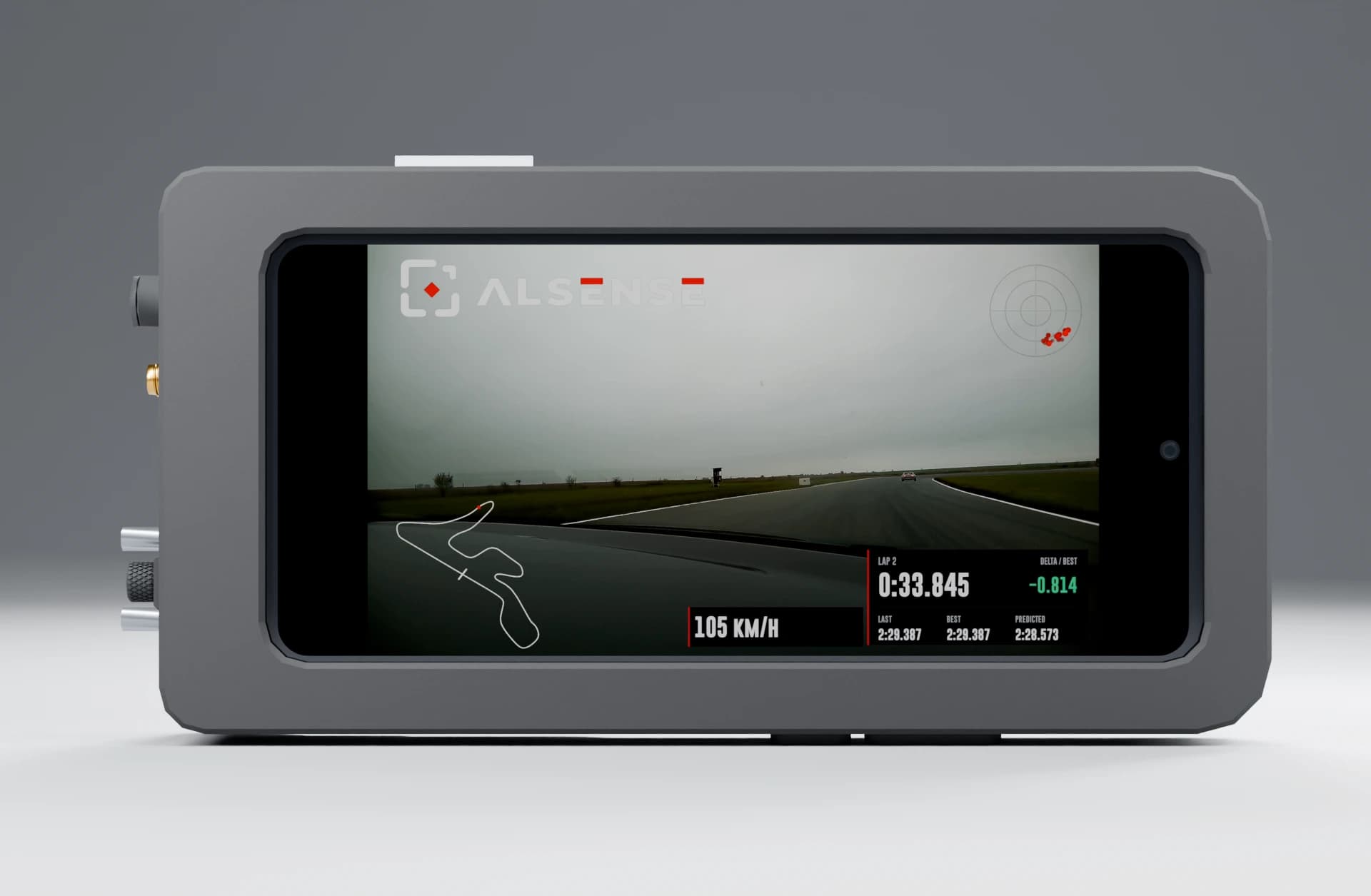
Video One screen displaying the original Motorpark track-day video and telemetry

Record

Bring the whole stint back to the pits, ready to replay.

  • Capture the onboard view

    The included camera records 1080p video with audio. Add a second camera for another angle.

  • Take your sessions with you

    Store up to 26 hours onboard. Transfer a session wirelessly or take out the SD card.

  • Broadcast-quality graphics

    Lap time, speed and track map are rendered into the video. Pick the layout and the channels you want on screen.

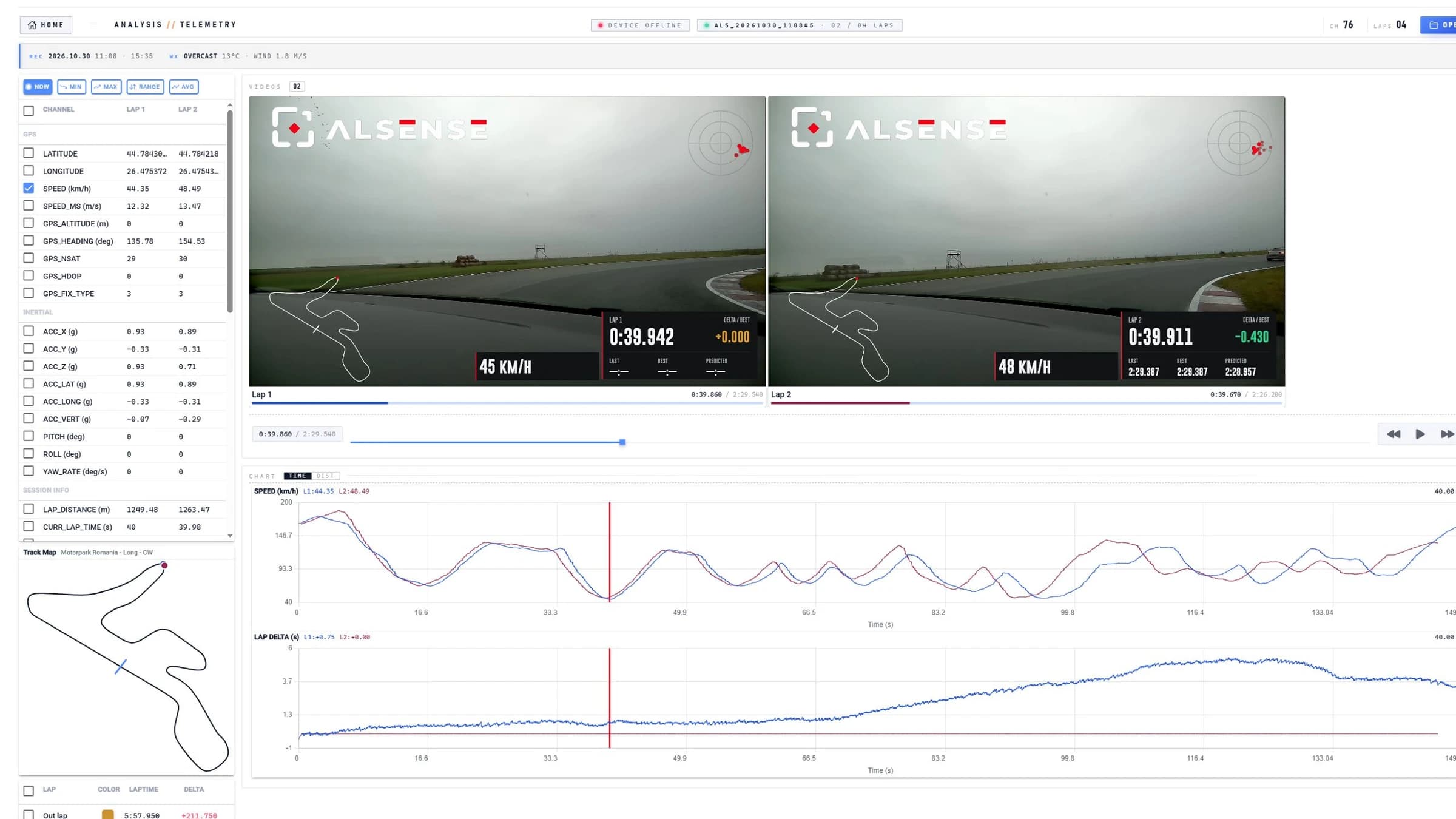
Paddock comparing laps 1 and 2 from the Motorpark session on 30 October 2026

Analyze

Compare any two laps in Paddock, the Windows app included with Video One.

  • Find where the gap opens

    Compare two speed traces against the lap delta to see where you gained or lost time.

  • Go straight to the corner

    Pick a point on the track map and the video jumps to that moment.

  • Two laps, side by side

    Replay both laps together and compare your line through the same corner.

On-track footage · 15 November 2026

See Video One on track

An extract from our track day, with speed, lap timing and track position recorded directly into the video.

Along the pit straight · 45 seconds · Recorded 15 November 2026 · No audio

How it works

Set up at home, check your camera at the track, then record and review every session.

  1. Unbox and set up

    Connect your Video One unit and included USB camera, then follow the built-in setup wizard to configure your system.

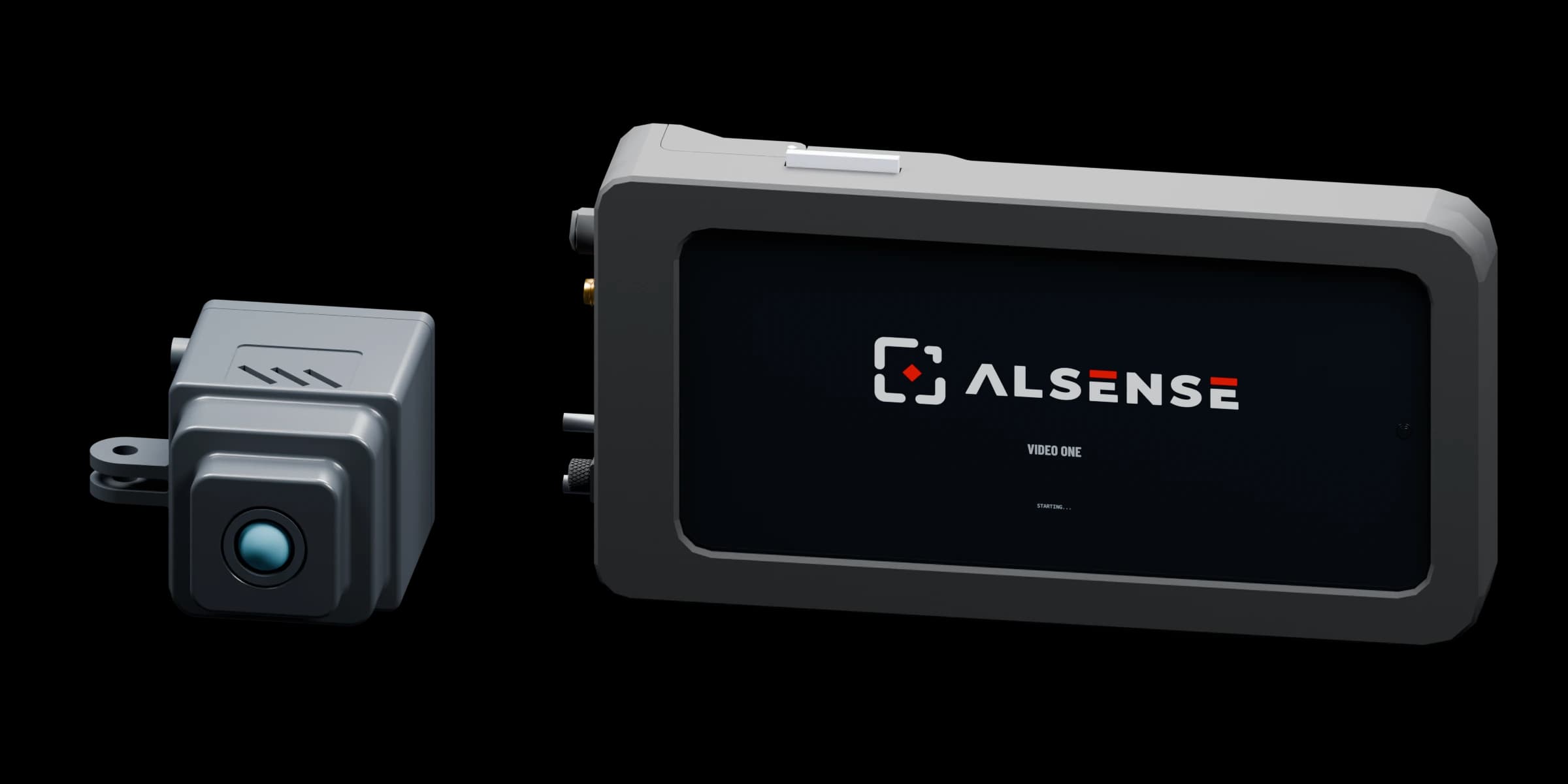
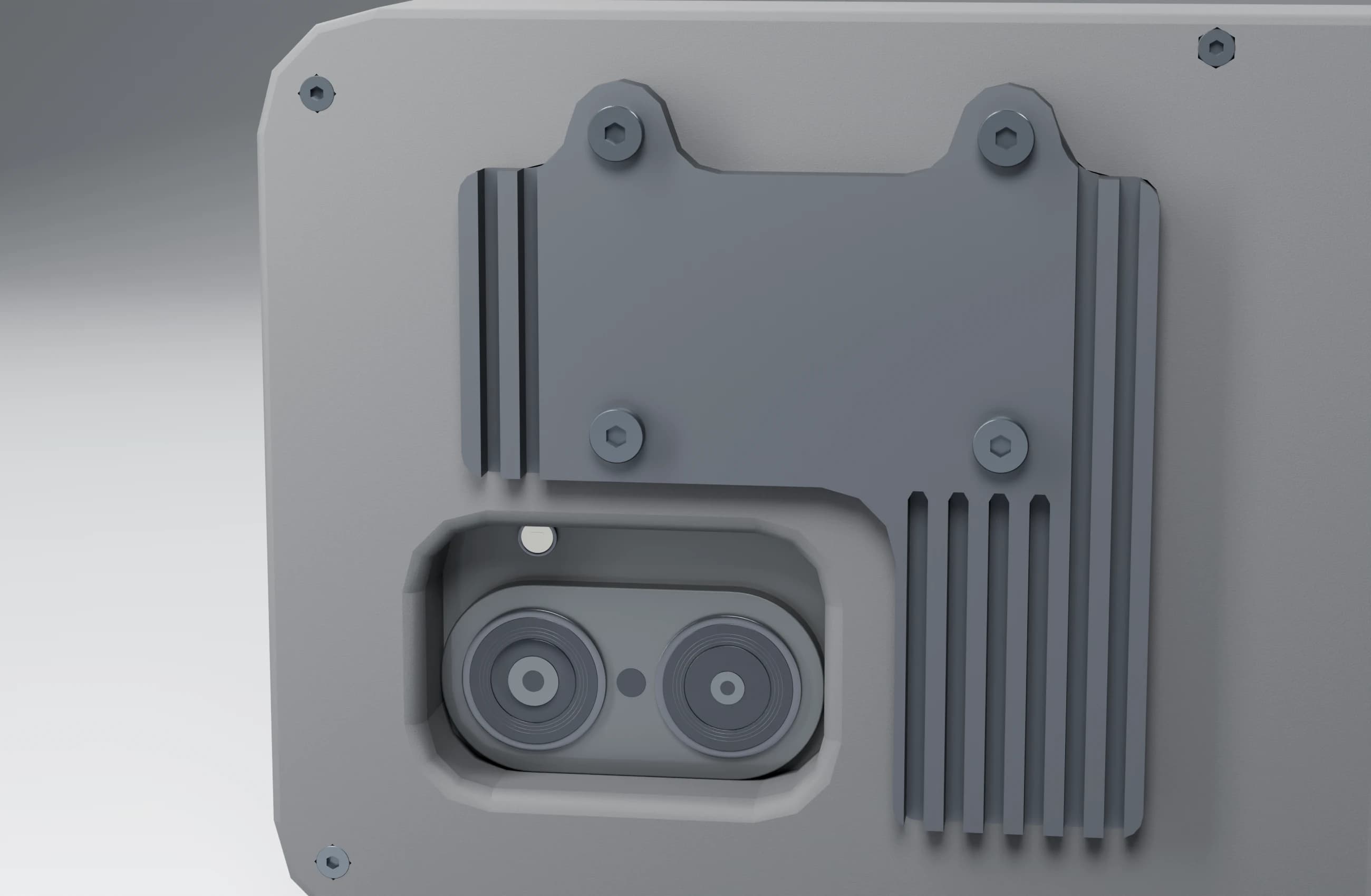
    Video One unit with the included USB camera
    Video One unit and included USB camera
  2. Fine-tune your setup in Paddock

    Adjust your settings in Video One Paddock and send the changes to the unit wirelessly. Use the live preview to check that everything is working before heading to the track.

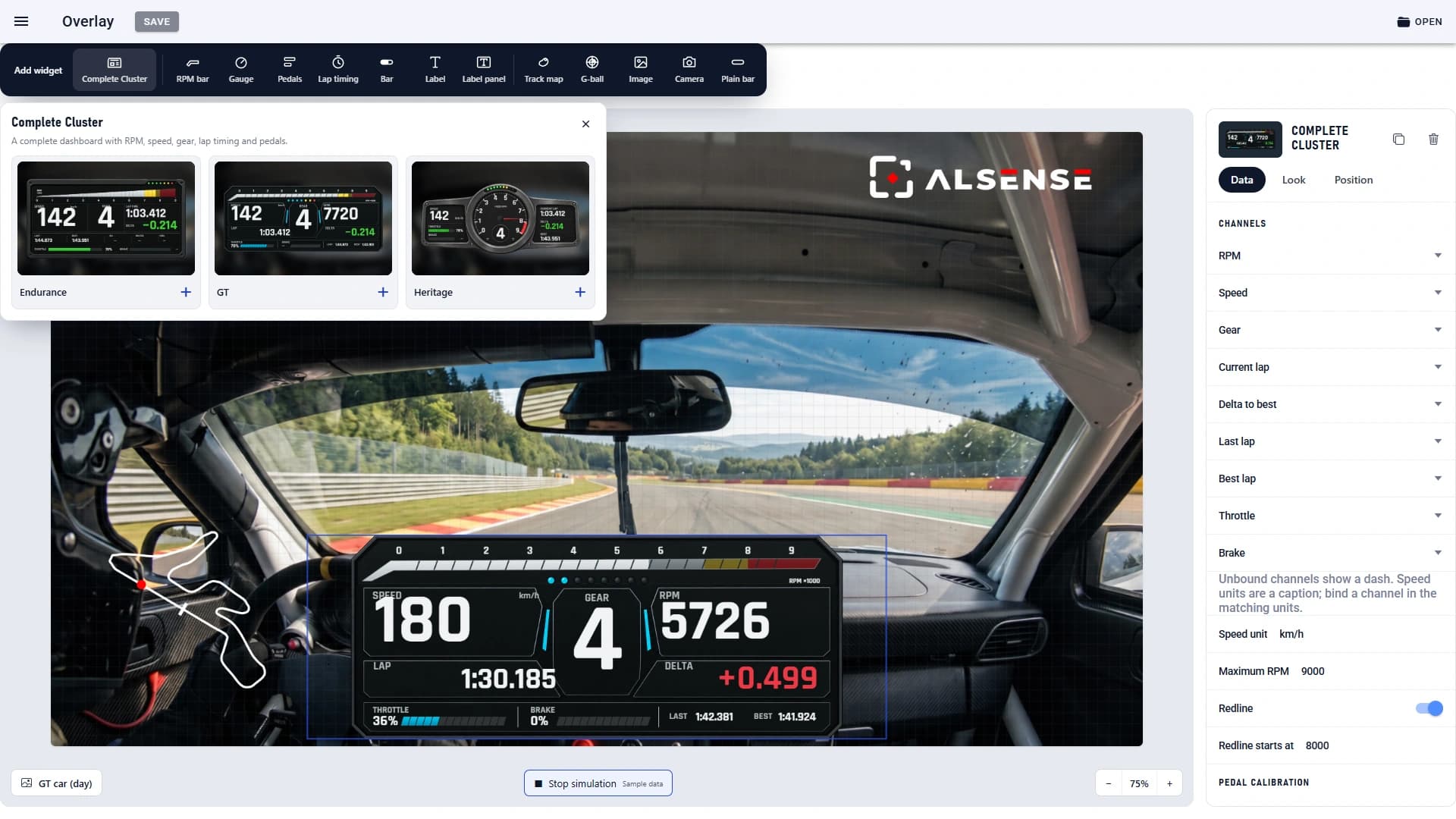
    Video One Paddock overlay editor simulation with integrated clusters, sample data, track map and Alsense logo
    Configure your overlays in Video One Paddock
  3. Get ready at the track

    Select the current track in the mobile app. Check the camera preview on the device or in the app, then switch to the lap timer when you head out.

    Video One screen displaying the original Motorpark track-day video and telemetry
    Check the camera view before you head out
  4. Let others follow your sessionOptional

    With an active streaming plan, stream your sessions for your team, friends or spectators to watch live. Your sessions are available in the cloud library afterwards for review.

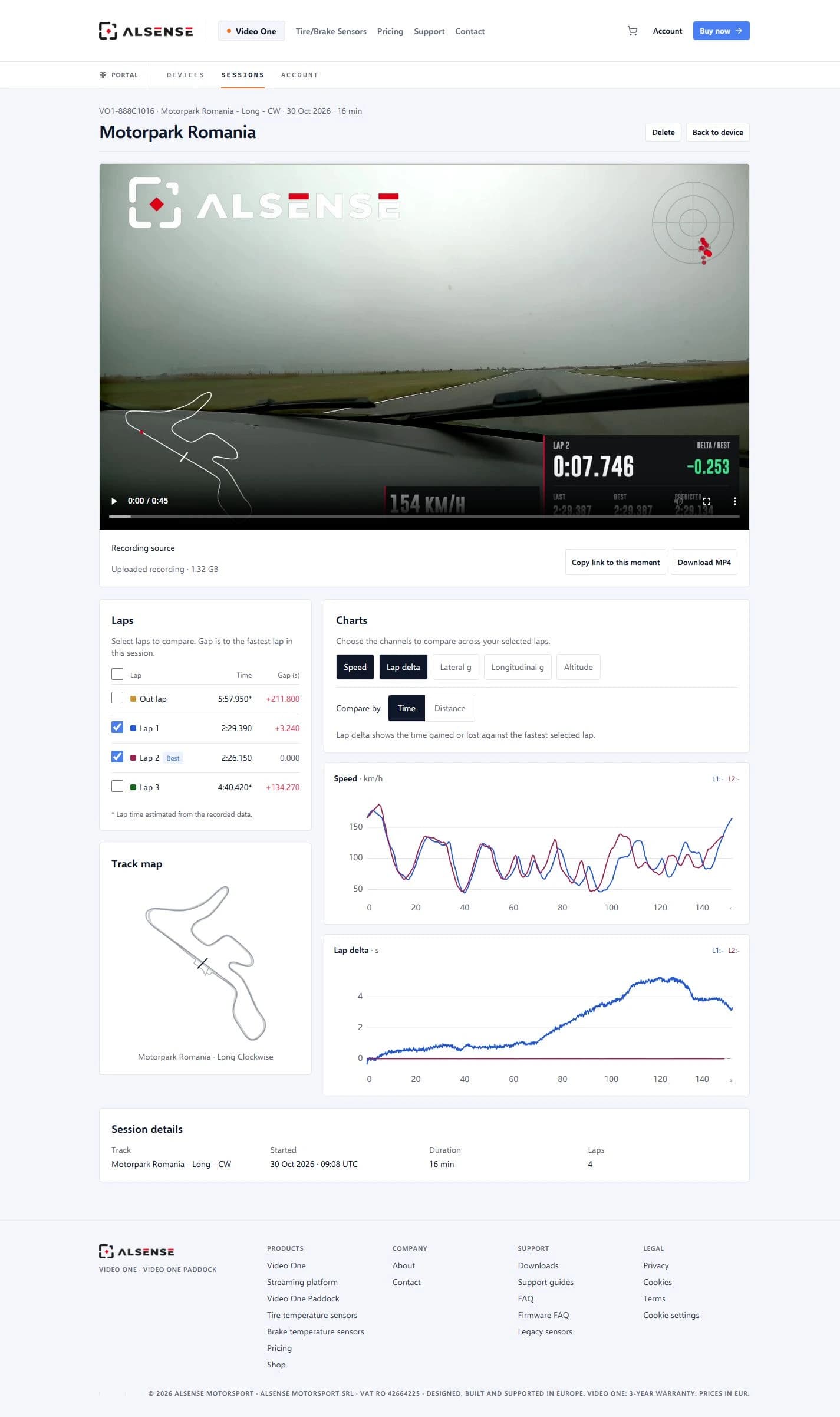
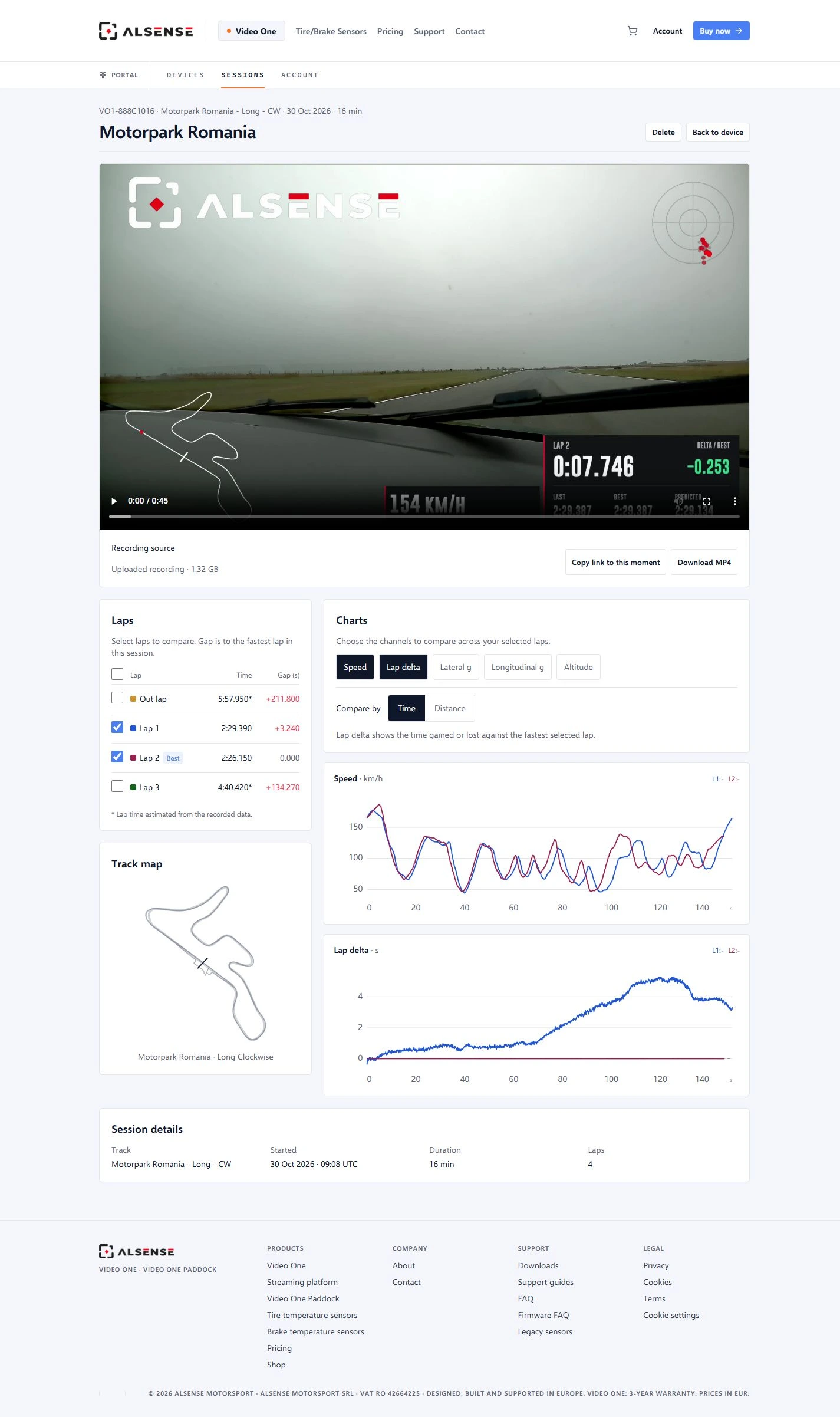
    Full session playback page with Motorpark video, lap times, telemetry, track map and session details
    Recorded example with onboard telemetry
  5. Go racing, then review your session

    Record your video and data while you drive. After each session, transfer the files wirelessly or remove the SD card, then open them in Paddock to review your driving and compare laps.

    Paddock comparing two independently recorded laps at Motorpark
    Review video and data together in Paddock

Select a step to take a closer look.

Video One unit with the included USB camera
At homeVideo One unit and included USB camera

Driver development

Record your sessions and compare laps to see where you can improve.

Remote coaching

Give your coach live video and telemetry, then review the session together afterwards.

Race weekends

Let the team follow the car from the pits and share the live stream with friends and spectators.

Streaming

Built-in streaming. Record, share and manage all your content in the cloud.

Put two mobile connections to work at once. Video One combines the built-in SIM connection with a compatible USB modem, giving your live stream more available upload bandwidth when a single connection is limited.

Included with every paid streaming plan. Requires a compatible USB modem and a second SIM with its own data plan. Performance depends on the available mobile coverage.

Full session playback page with Motorpark video, lap times, telemetry, track map and session details
The complete session page: video playback, lap times, telemetry and track map. Recorded on track. Select the image to enlarge.
01

Sub-1-second streaming

Watch live video in any browser, with under a second from camera to viewer. Viewers don’t need an account. You can also send the stream to YouTube or Twitch.

02

All your sessions in one place

Video, telemetry and lap times are saved together in your session library. Open a session from any device to watch a lap, review the data or download the original recording.

03

Choose who can watch

Share a lap, a session or a whole race weekend. Give your coach access to the video and data, or share the live stream with family and friends. You control who has access.

04

Manage your devices remotely

Check each device’s status and location and change its settings from your browser.

05

Custom CAN overlays, live and recorded

Show custom CAN channels such as engine RPM and throttle position alongside speed and lap timing. Video One draws the overlay directly into the live stream and the onboard recording. The overlay is included even when you record without streaming.

06

Compare laps in your browser

Overlay laps to compare speed and see where time was gained or lost. Use the track map to find the corner you want to review.

Streaming and cloud require an active streaming plan. Everything else works free, forever.

See the streaming platform

Software · Video One Paddock

Analyse every lap. Free, forever.

Video One Paddock is the desktop app for Video One. Compare laps with synced video, telemetry and track position, create video overlays, edit circuits and preview video in real time. You can also configure the device wirelessly. Included with the unit, free on PC, with Mac support coming soon.

  • Lap vs lap

    Overlay any two laps and follow the delta corner by corner. See exactly where the time went.

  • Video in sync

    On-board footage locked to the data. Scrub the chart, the video follows; scrub the video, the cursor follows. Click a corner on the track map to jump there.

  • Overlay editor

    Choose a complete cluster or individual widgets. Arrange them over the video and set the channels, appearance and position.

  • Every channel

    Choose which data to plot: GPS, accelerometer, lap times and CAN channels. View them together to compare what’s happening.

  • Sessions library

    Every recording on this PC, or in your cloud library. Open a session and you are analysing in seconds.

  • Device connection

    Pair the unit, pull sessions, push configuration. All wireless, from the same app.

Explore the desktop software
Real Motorpark video and telemetry in Video One Paddock
Video and telemetry analysis
Video One Paddock overlay editor simulation with integrated clusters, sample data, track map and Alsense logo
Overlay editor · complete clusters and individual widgets

Specifications

Data sheet · rev A

Streaming

Latency
<1 s camera to viewer
Connectivity
Built-in cellular · your SIM
Cellular bonding
Built-in SIM + compatible USB modem; included with every paid streaming plan
Graphics & data
Built in; live telemetry, sector deltas, predictive lap time
Viewers
Any device, no viewer accounts; 4 simultaneous viewers on Weekend pass and Season; Team for larger audiences and public broadcast
Requires
Active streaming plan

Recording

Video
1080p onboard footage at 30 FPS with audio
Overlay
Broadcast-quality graphics rendered at the car
Onboard storage
26 hours of recording; removable card
Cloud upload
Automatic, optional (streaming plan)

Timing & data

Display
7-inch screen · live lap, sector, predictive timing
GPS
20 Hz
CAN
Your car's channels; reads existing logger or dash
Circuits
Automatic recognition; configurable auto start/stop; create your own

Analysis & setup

Software
Video One Paddock, PC (Mac coming soon) · free, forever
Configuration
Mobile app for video preview and quick configuration; wireless setup from your laptop
Fleet
OTA updates; status and location of every unit
Warranty
3 years · designed, built and supported in Europe

1,195 EUR + VAT

Launch price

Order now. Next production batch ships in December 2026.

Cancel free any time before it ships.

30-day track trial. Fit it, drive it, and send it back for a full refund if it's not for you. Return details

Will Video One work with my car? Ask the team

Full pricing
Questions? Send us a message